Track Hazard Over Time
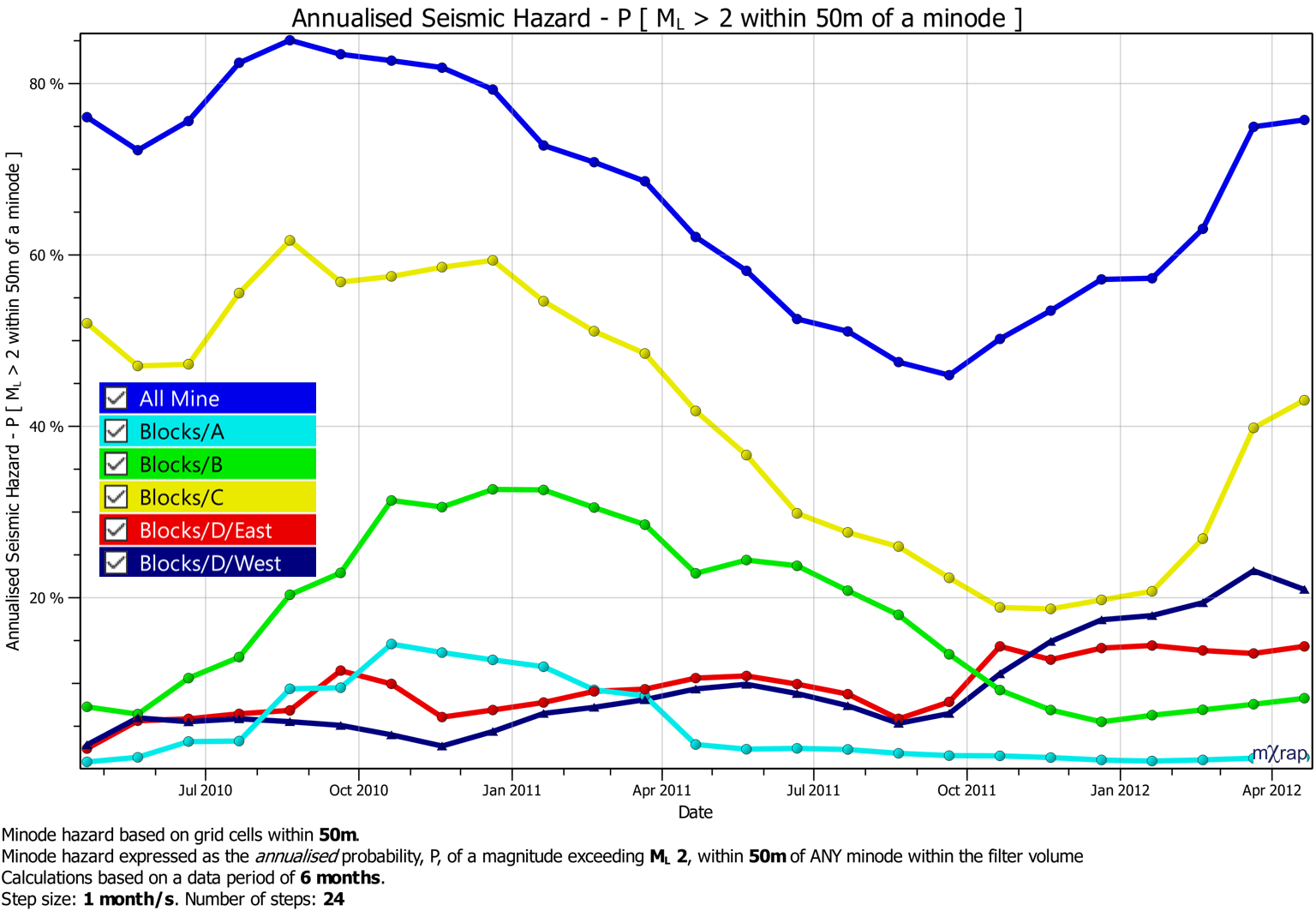
Hazard can be tracked over time by specifying a number of time steps and a step interval. The back analysis tool will step the backdate backward through time and summarise the hazard within each mining volume. Mining volumes can be defined in the Configuration area (link to filter volume editing page). The hazard within each mining volume is calculated by accumulating the hazard within each grid cell or for each minode within the volume.
Video
As an extension to the excavation hazard, you can calculate the hazard for minodes within each of your filter volumes. This video shows you these tools as well as a function to track the hazard for filter volumes over time.