Damage Inspections
This app was developed from our legacy Damage Mapping app using the Inspections framework as a base. The idea of Damage Inspections is to do damage mapping on a web-based application, designed to be used with a tablet.
Supported Data Types
The data collected for Damage Inspections vary based on the level of detail the user selects. The more detailed levels collect data in addition to the lower levels of detail. These are the levels of information available:
General
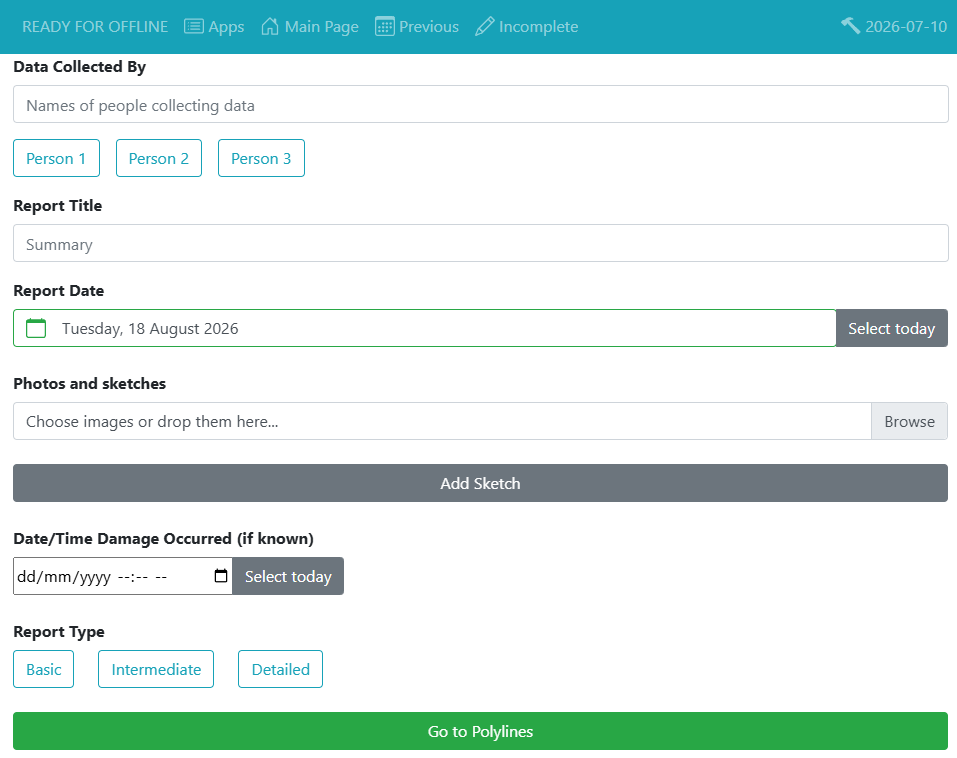
- Basic Report Information
- Who's doing the report
- Report Title/Summary
- Report Date
- Report Attachments (photo, sketch, pdf, etc.)
- Time of Damage
- Report Detail Level
- Georeference with polylines and points
- Attachments to polylines and points
Basic
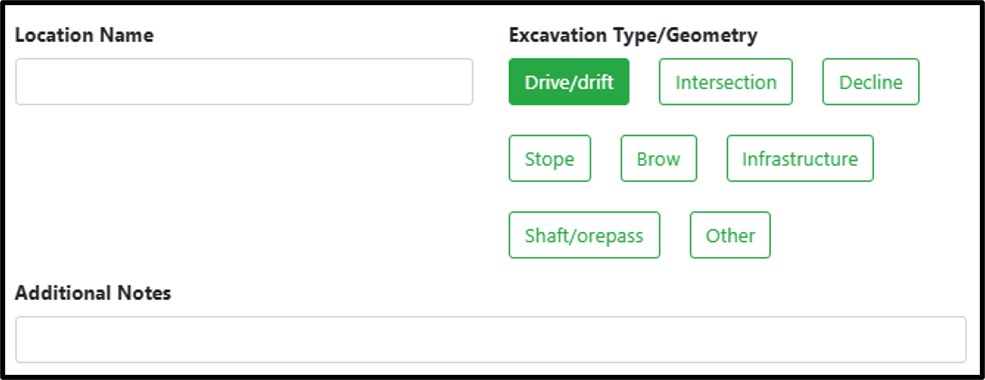
- Location name
- Excavation Type/Geometry
- Additional Notes
Intermediate (additional fields):
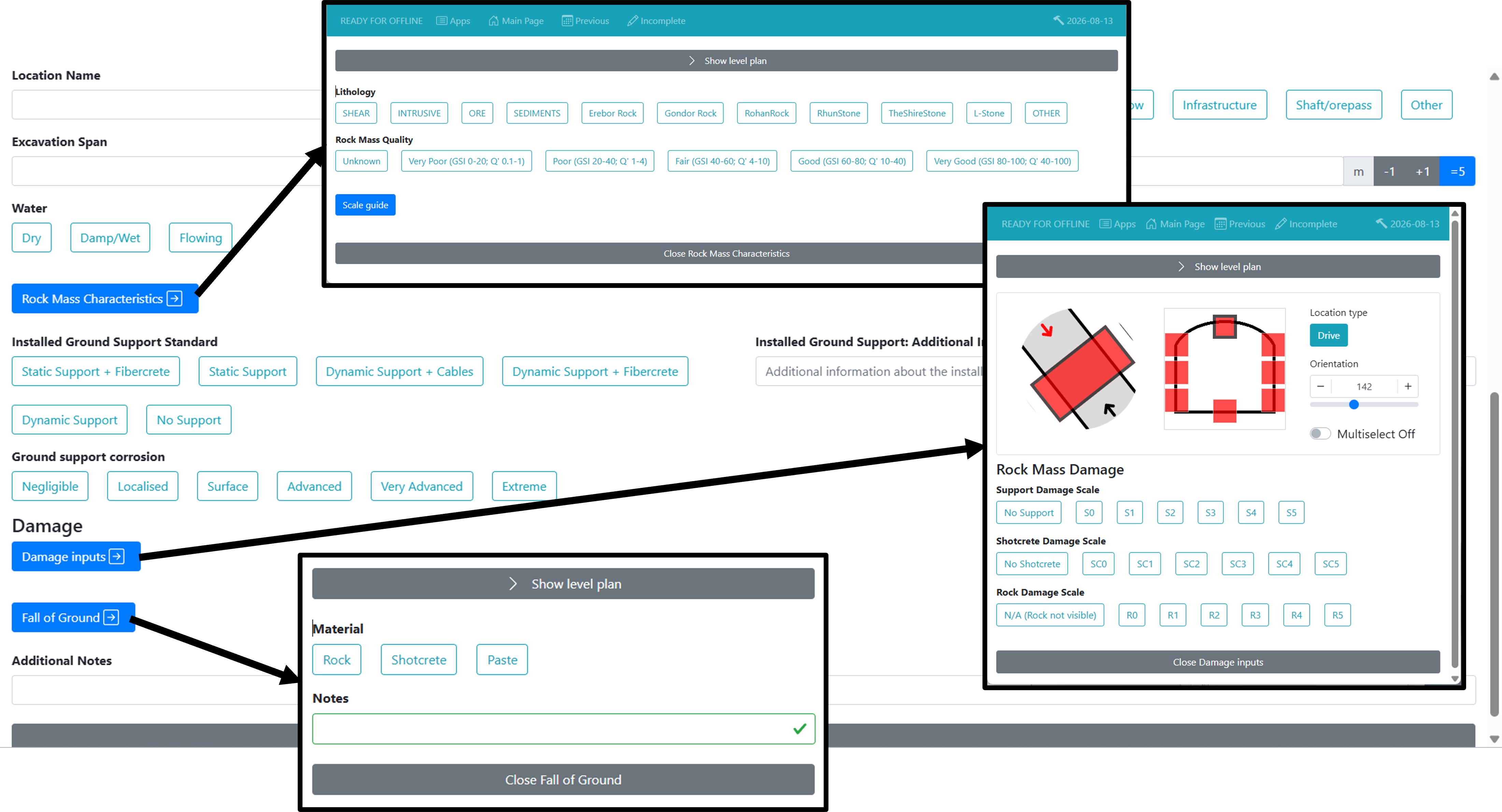
- Excavation Span / Height (note that you can setup the default values of this to be more efficient)
- Water
- Rock Mass Characteristics (Lithology, Rock Mass Quality)
- Installed Ground Support Standard
- Installed Ground Support Additional Information
- Ground Support Corrosion
- Damage Inputs (Profile information like: Location Type, Orientation, Support Damage Scale, Shotcrete Damage Scale, Rock Damage Scale)
- Fall of Ground (Material, Notes)
Detailed (additional fields):
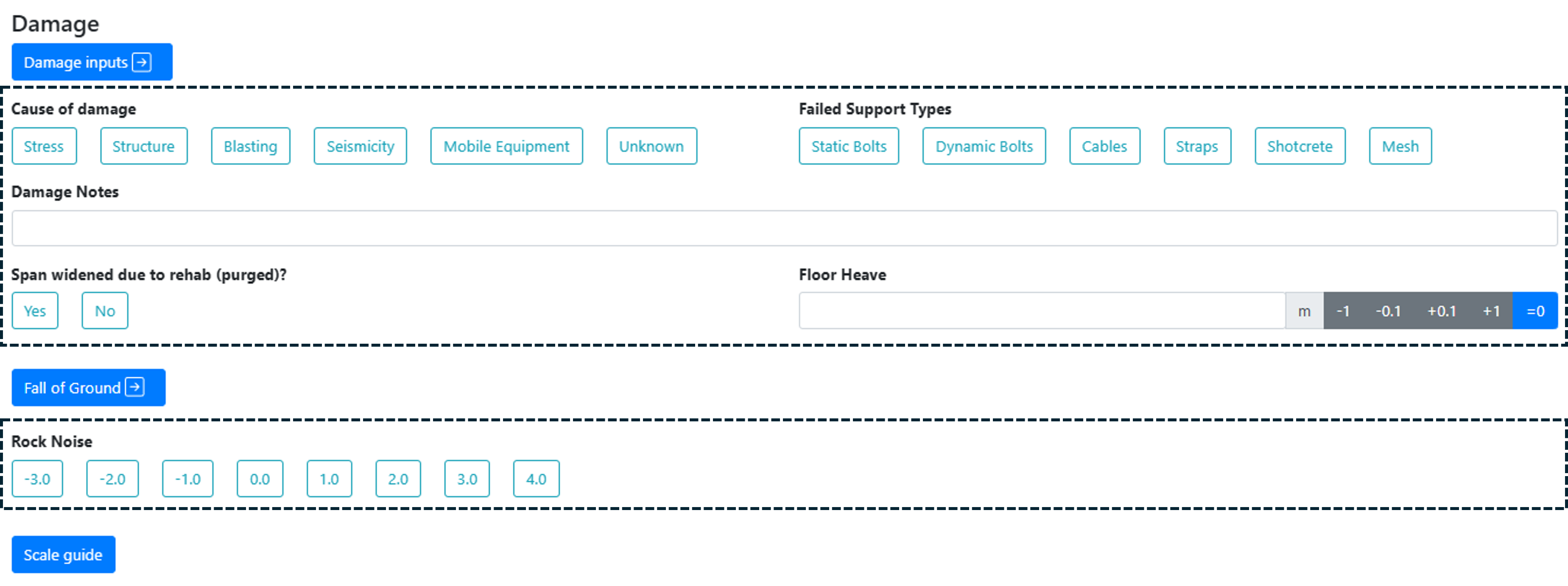
- Cause of Damage
- Failed Support types
- Damage Notes
- Span widened due to rehab(purged)
- Floor Heave
- Rock Noise
Key Features
Webforms
We can setup the default values for excavation height/span (initial default: 5m x 5m). Email us.
mXrap App
One-Click data import into mXrap
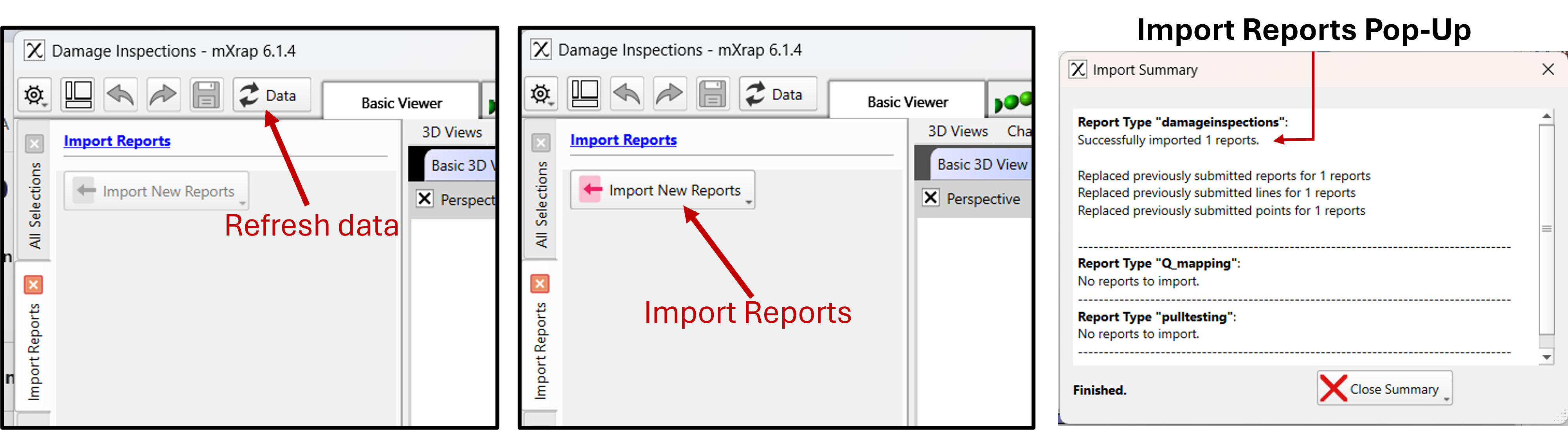
The data entered in the webforms are imported within the app by one-click button. If the app was already open, a data refresh might be necessary to enable the import data button. Once the button is pressed and reports imported, an import summary will pop-up.
Data Visualisation and filtering
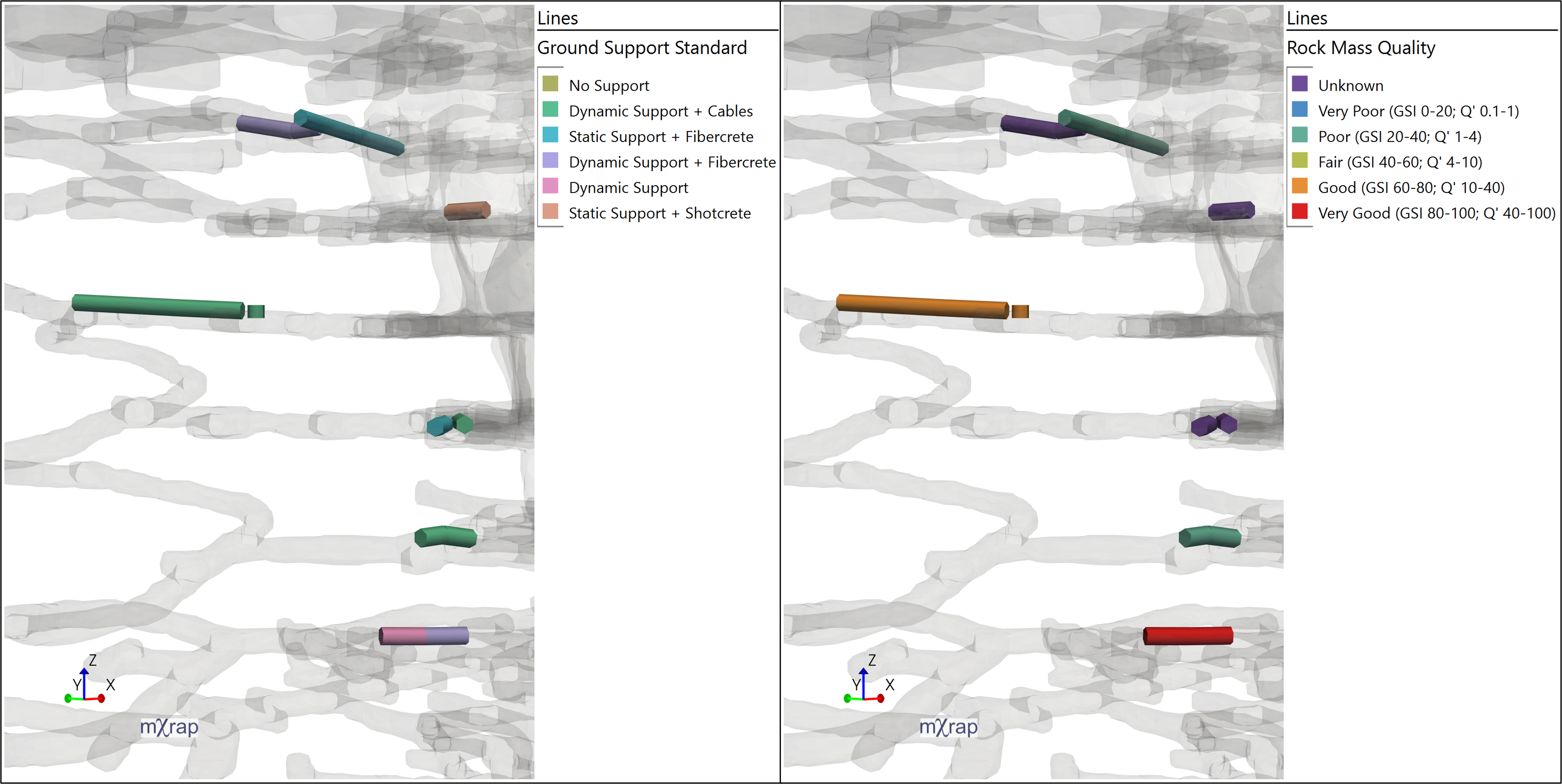
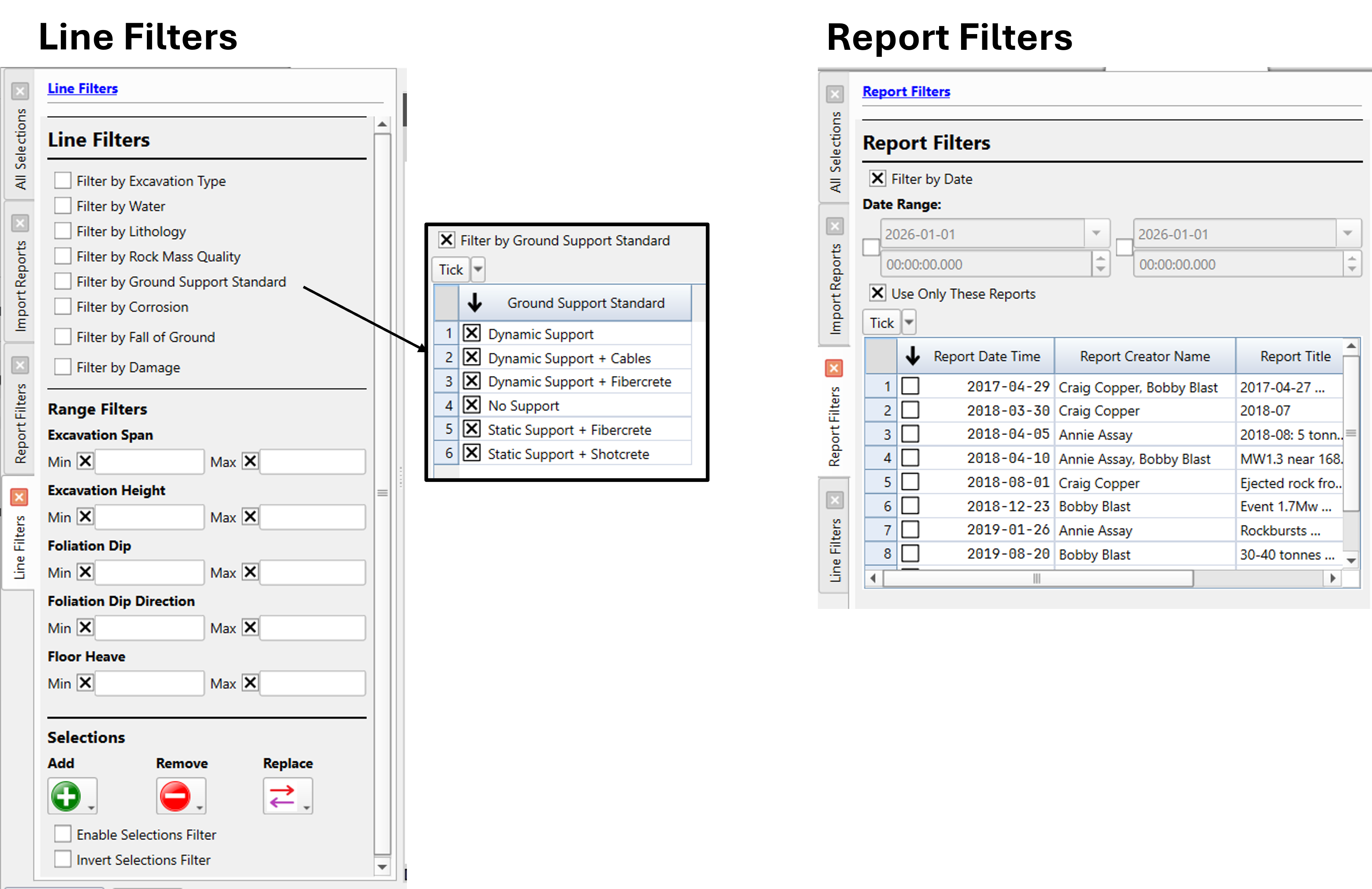
Points and lines can be visualised straight away in the 3D view, coloured by multiple data types and filtered by reports-data or lines-data.
Data analysis
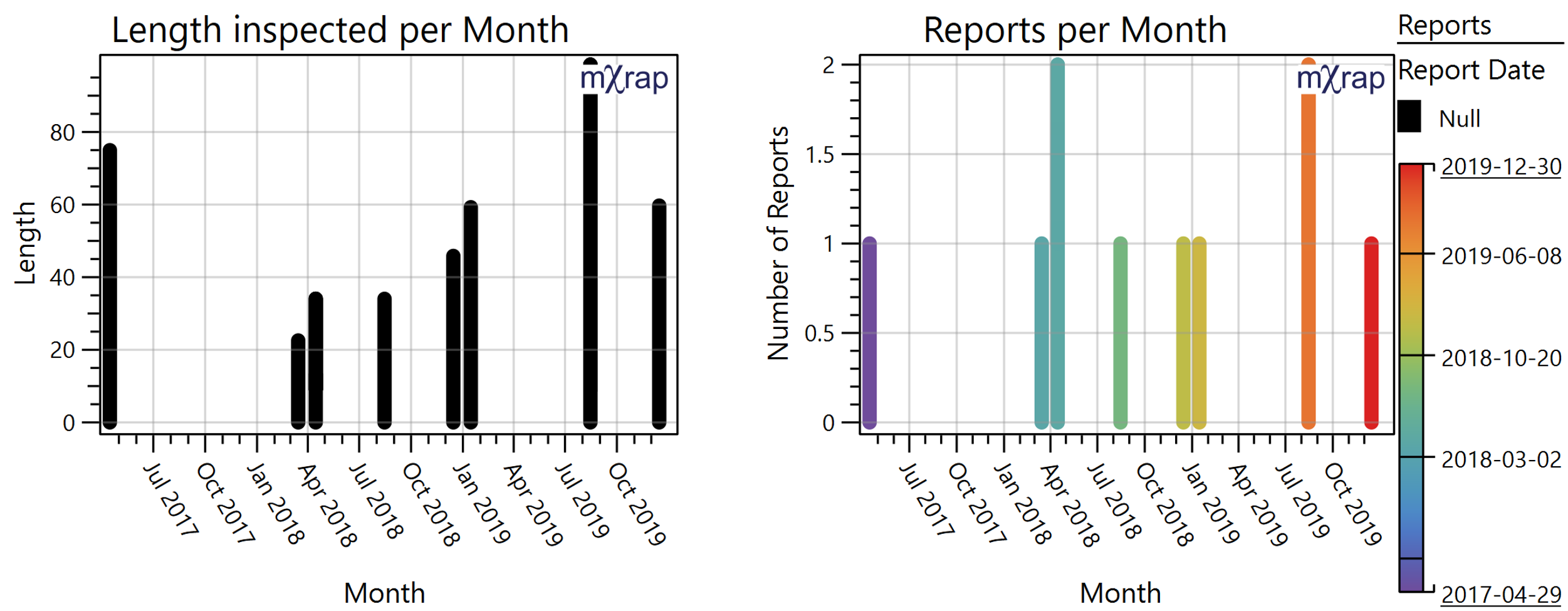
At this moment, few charts are in the apps. If you think a chart would be useful for your mine site and others, please reach out to us.
Link Photo(s) to a report / line / point
There are multiple ways to link photo(s) in Damage Inspections:
- Using the Window "Photos"
- In the Basic 3D view, pressing F2 on the segment on which you want to link a photo (Preferred method - More intuitive)
As in other inspections apps, you can either choose to:
- Add photo(s) or folder of photo to the report/line/point - The photo will be stored in the root
- Add a folder of photos to the report/line/point - The photo will be stored in the root
- Add the ** link ** of photo(s) to the report/line/point - The photo(s) will NOT be stored in the root (note that this will be broken if the photos moves)
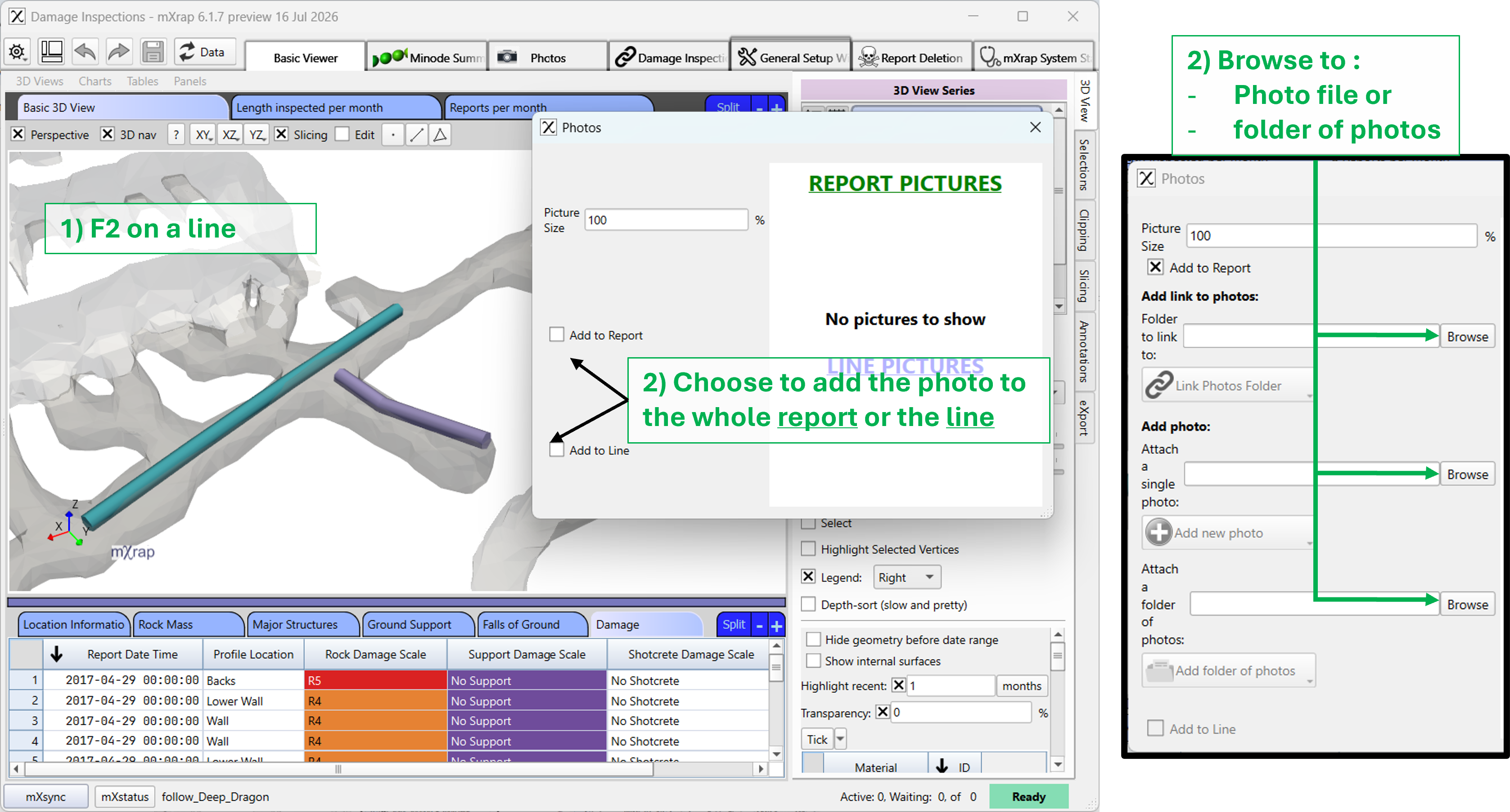
If you decide to store the photos in your root, it can get large very quickly, which will slow down every backup and updates. You can either decide to store a not high-resolution of the photos OR use the link option.
Painted Surveys
The app automatically generates minodes out of the lines and points, which allows you to paint on either your surveys or your Mine Geometry Model. This is useful to see the current state of the mine with the latest data.
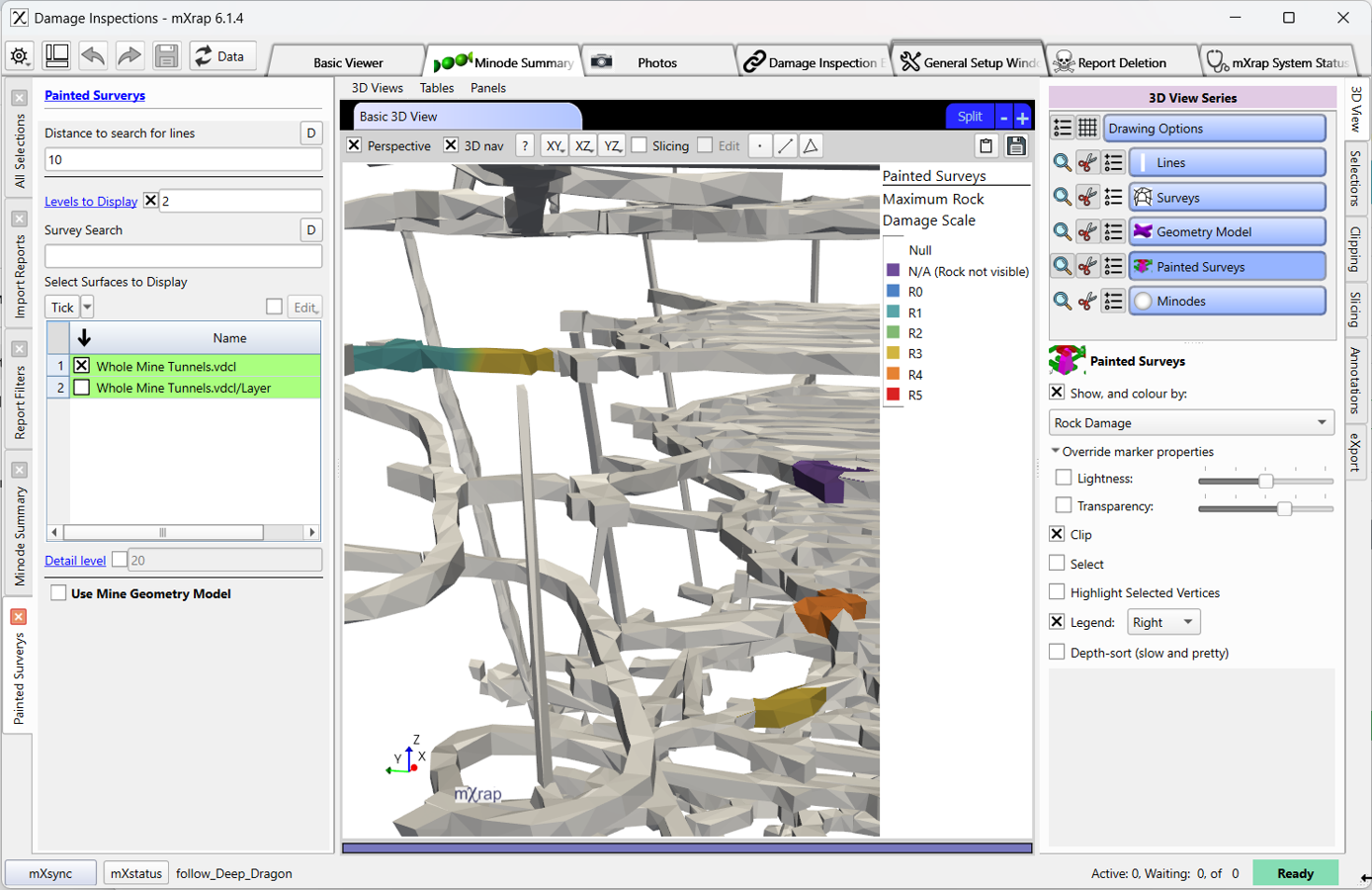
Don't forget to build your *Surveys for Painting' surveys in General Setup Windows / Survey Setup / Surveys for painting to be able to use the surveys for painting.
Seismic Event Link to Damage
It is possible to link event(s) to a damage
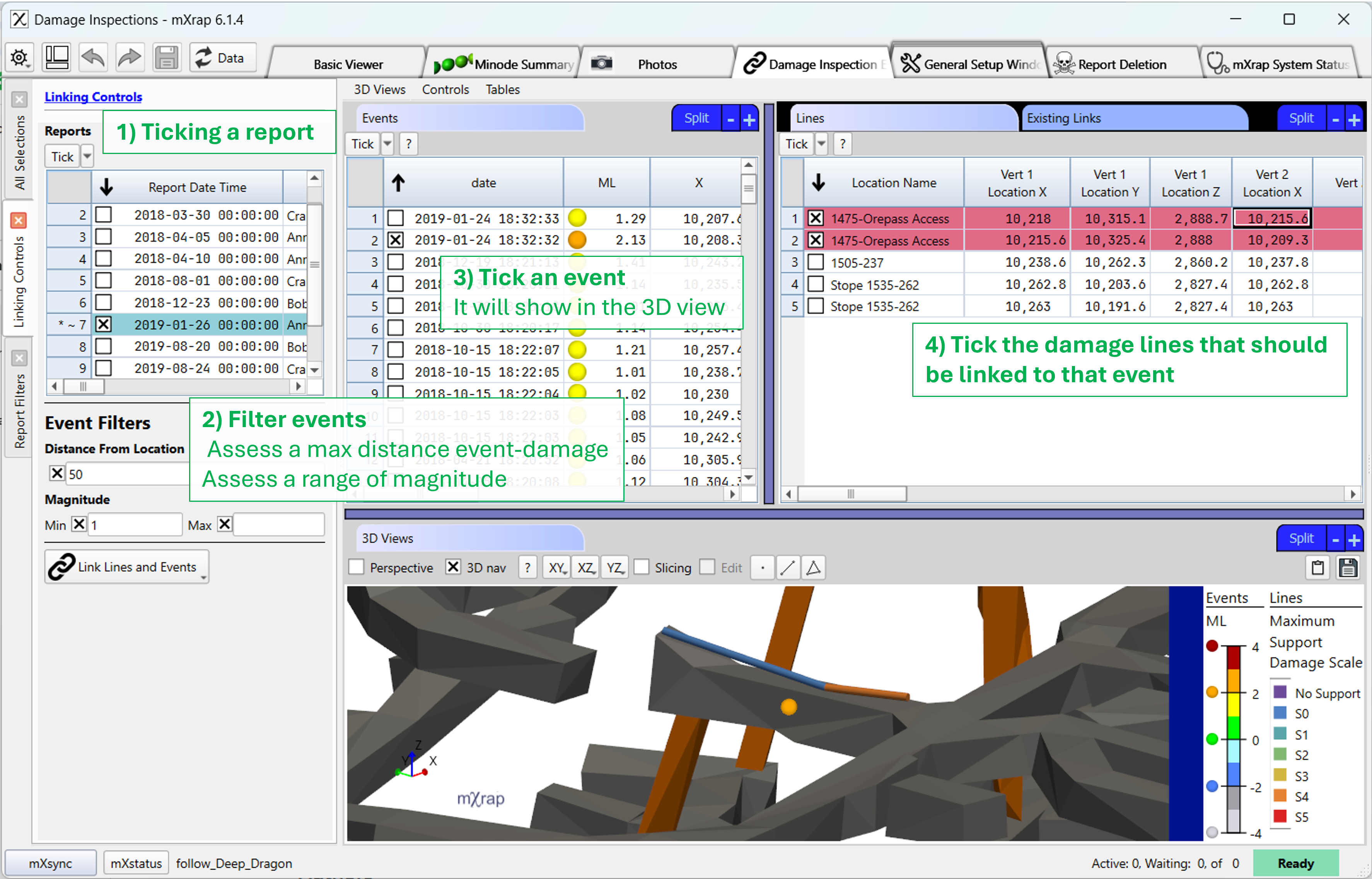
Only one event can be linked to a line for a specific report.
Permanent Segment Creation
In the Damage Inspections, as in other inspections app, you can create permanent points or lines. Permanent segment are segments that are always going to be visible on the levels in the webforms.
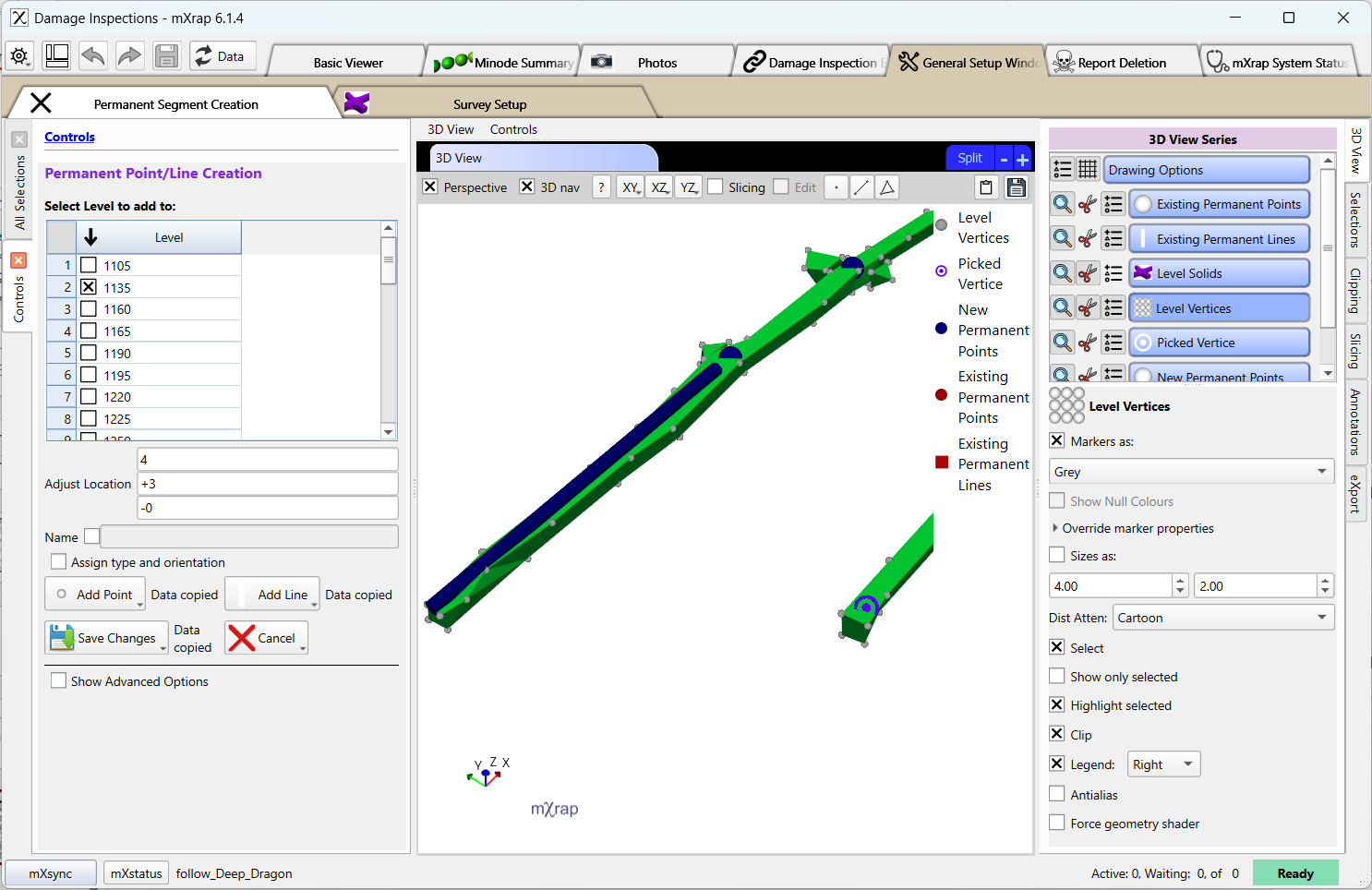
If you plan on doing multiple inspections at the same location : this tool is build for you!
Authors
Principal authors: Dan Cumming-Potvin, Matthew Heinsen Egan, Paulus Indra Angkodjojo
Citation
Cumming-Potvin, D, Heinsen Egan, M & Angkodjojo, PI 2026, mXrap software, Damage Inspections, Australian Centre for Geomechanics, Perth, mxrap.com
Publications
No Publications have been done regarding this module yet