Structural Analysis
From multiple sources...
Supported Data Types
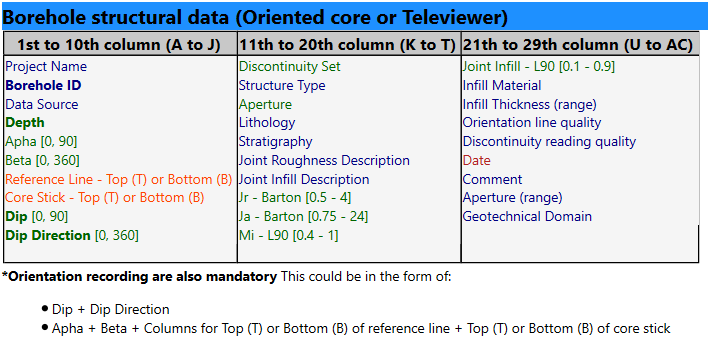
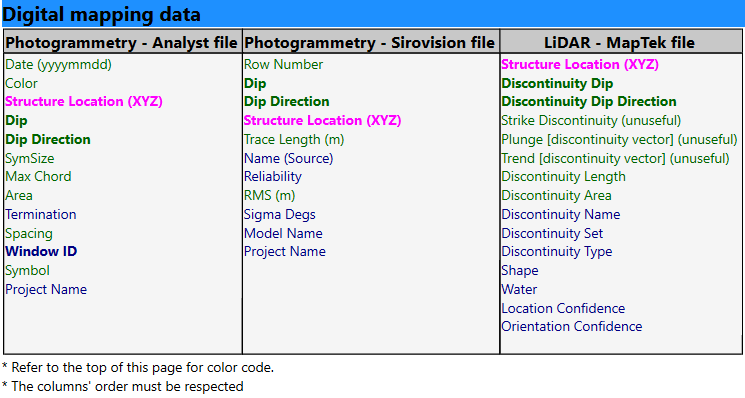
- Files imported must be in .csv format (auto-import with customised features OR manual csv import)
- Where there is no data available for the remaining columns leave blank.
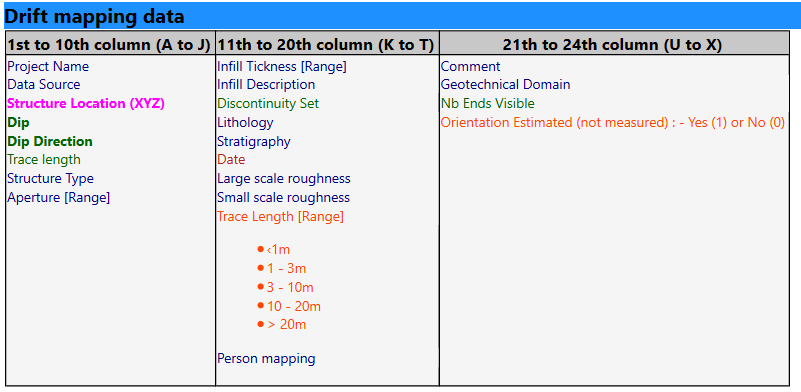
- Columns in the .csv file must be in the order specified in the sections below.
- Columns in the specified format, according to this colour code:
- Number column (green)
- Text column (blue)
- Specific Text column (category) - See Table below (orange)
- Date column : yyyy-MM-dd (red)
- Point columns : X Y Z (3 number columns) (pink)
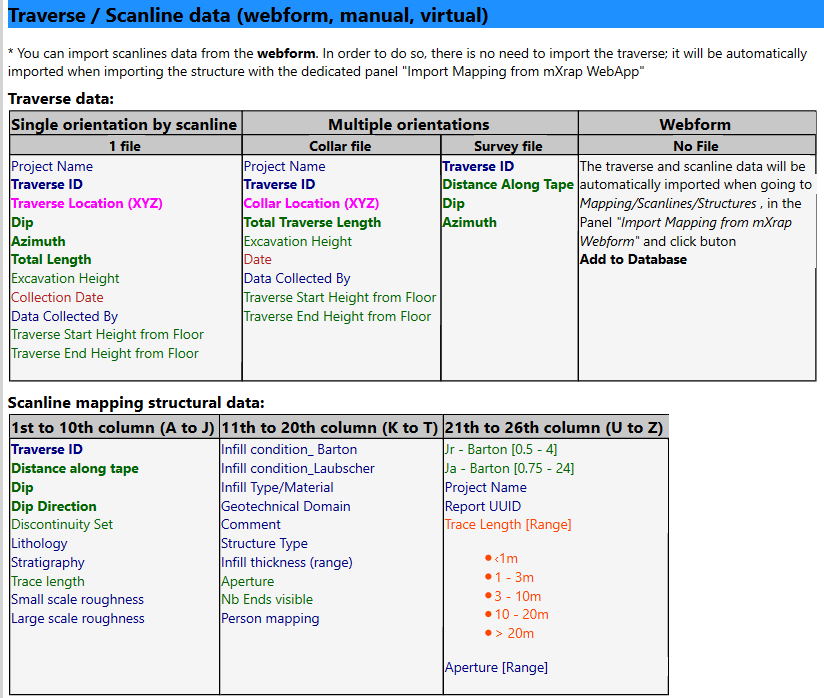
Scanline/Traverses webforms: (https://webforms-demo.mxrapservers.com/rockmassdatacollection/index.html#/)
Key Features
Auto-import of database or manual csv import or webform for scanline
Manual csv Import borehole structures:
Alpha and beta angle from core logging can be converted to dip /dip direction with help of a core stick illustration, see the end of the video.
Manual csv Import scanline data:
You can also import scanline data from webform:
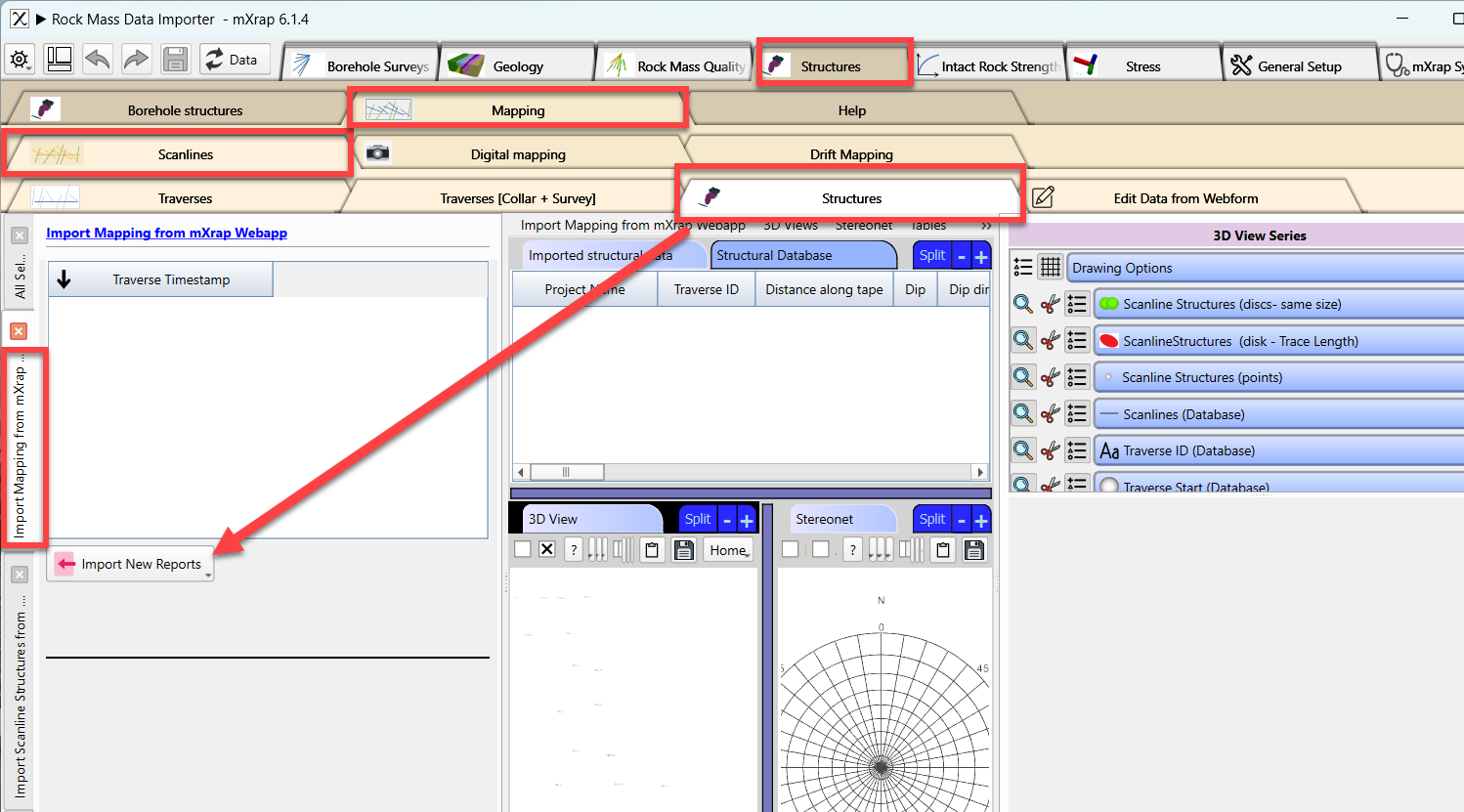
If you are interested into this webform, please email us.
Manual csv Import drift mapping: Please follow the same process then from boreholes, but using the Drift Mapping window.
Joint Set import and modification / assignment on stereonet
Visualized in 3D the structures with their measured size or specific size per structure type
Comparison of two data sources from same borehole (orientation, frequency, etc.)
FAQ
What happens if I import the same borehole twice?
For automatic inputs, the duplicates will remain - you need to ensure that your database is clean. For manual csv import, if you try to import a borehole that already exists, the new data will overwrite the old one for the whole borehole.