Blocking
Parameter Selection
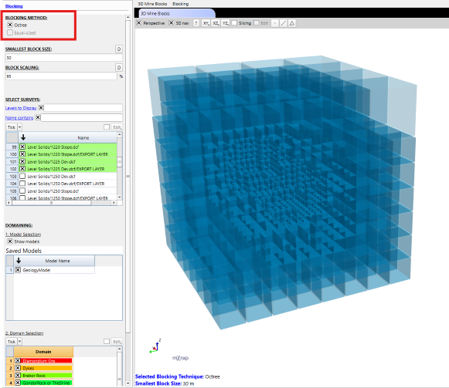
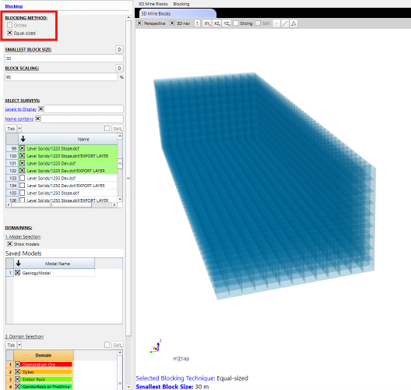
Two blocking methods are available in the app:
- Octree – This refines the block size towards a Smallest Block Size control as the model approaches the survey and volume boundaries, while leaving larger blocks in empty spaces. This is the more computationally efficient method.
- Equal-sized – This sets all blocks in the model to the defined Smallest Block Size.
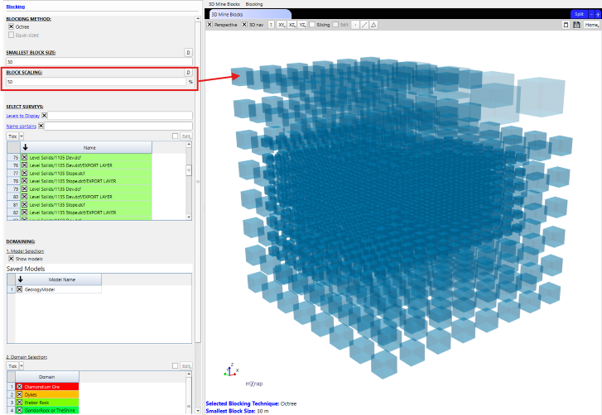
Use the Block Scaling control to adjust the scale of the blocks in the configuration.
Survey Selection
The Select Surveys table displays all available surveys organised by folder structure. Use the Levels to Display control to adjust the hierarchy depth. Selecting a parent folder automatically selects all child surveys.
Domaining
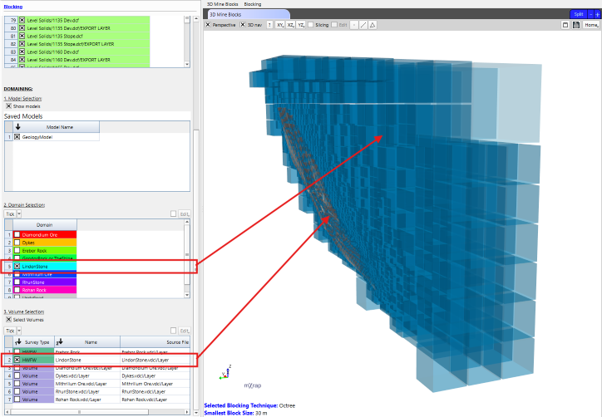
The domaining section displays the mine's Saved Models and the domains within each model. Select the domains to be analysed, and only the blocks whose centroid is assigned the same domain as one that has been selected will be visible in the 3D view.
The domain volumes can also be modelled if a more refined domain boundary is desired. Use the Select Volumes control to turn this feature on and choose which domain volumes to include.